Uncategorized

HOW TO TRACE A MISSING OR STOLEN PHONE

HOW TO TRACE A MISSING OR
STOLEN PHONE

If you lose your mobile phone,
you can trace it without going to
the police.
Most of us always fear that our
phones may be stolen at any time.
Each phone carries a unique
IMEI no. i.e. International Mobile
Equipment Identity No which can
be used to track it anywhere in
the world.
This is how it works:
1. Dial *#06# from your mobile.
2. Your mobile phone shows a
unique 15 digit.
3. Note down this number at a
secure place except in your mobile
phone itself as this is the number
which will help trace your phone
in case of theft.
4. Once stolen, just E-mail this 15
digit IMEI No. to cop@vsnl.net
with details as stated below:
Your name:____________________
Address:______________________
Phone model:_________________
Make:_________________________
Last used No.:_________________
E-mail for communication:_____
Missed date:___________________
IMEI No :_______________________
5.Your Mobile will be traced within
next 24 hours via a complex
system of GPRS and internet, You
will find where your hand set is
being operated and the new user\’s
No. will be sent to your email.
6. After this, you can inform the
Police with the details you now
have.
Uncategorized

Samsung to deliver firmware fix for all early Galaxy S20 issues

Samsung to deliver firmware fix for all early  Galaxy S20 issues 
Samsung is reportedly working on a few bug fixes for the Galaxy S20, S20 and S20 Ultra with a firmware update soon. The update will focus on reported overheating issues while wirelessly charging with a Qi charger, camera app freezing, poor battery management and unstable Wi-Fi performance. Samsung did issue an update in Korea a few weeks ago, which reportedly improved the AF situation, but it hasn\’t been rolled everywhere yet.
Uncategorized

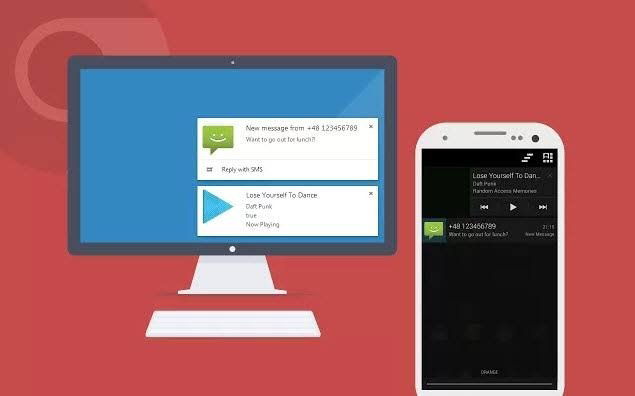
​​​​​​How To Receive All Your Android SMS On PC

​​​​​​How To Receive All Your Android SMS On PC
Many of you work on your PC for long  and at that  it looks quite difficult to pickup android and read out every SMS  received on it.
Mostly when your device is on charging and you\’re working at distance from it
 Steps To Get All Your Android SMS On PC:-
  1. First of all download and install app Mighty Text in your android device.
  2. Now in your Google Chrome browser add the extension Mighty Text.
  3. Now open the app you will need an initial pair up with your PC as it will be done over wifi network on which both the devices being connected.
  4. Now when you setup is done now you will see your android name on the icon when you click on it.
  5. Thats it all done, now when you android receive any SMS it will transfer on your extension of PC and you can read it there.
Uncategorized

​​​​​​​​How To Root Your Android Device With Just One Click!

How To Root Your Android Device With Just One Click! 

1. Install Kingo Android Root.
2. Enable USB Debugging (Setting > About > Developer Options)
3. Run The Kingo Android Root And Connect You Phone To Your Computer (Via USB). 
4. After A Moment, The Former
Will Show A Connection To The Latter.
5. Click Root And Wait For Processing To Be Finish. All The Process Will All Take About Two Minutes.
 If you Don\’t Like The Change You Can Go All The Way Back And Click Unroot 
Uncategorized

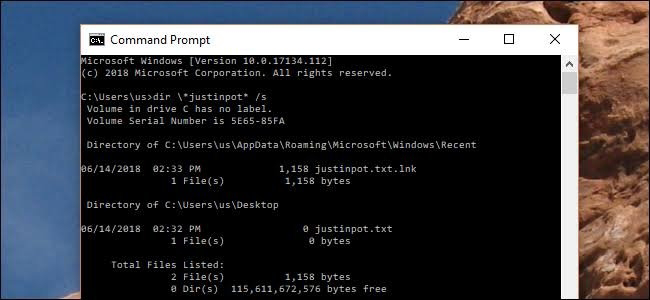
​​HOW TO UNLOCK LOCK PATTERN USING COMMAND PROMPT

​​HOW TO UNLOCK LOCK PATTERN USING COMMAND PROMPT 
 Steps :-
1 Connect your android phone to your computer.
2 Open Command prompt administrator.
3 Now in command prompt window type following code carefully  adb shell cd/data/data/com.android.providers.settings/databases sqlites settings.db  update system set value=0 where name=’lockpatternautolock’; update system set value=0 where name=’lockscreen.lockedoutpermanently’; .quit
4 Now you will see some screen as shown below and then you can reboot your phone and now when your android starts again, then try unlocking it using any random pattern and it will unlock and work pretty fine.
5 If you face any problem repeat same steps but instead of the above code tru using  adb shell rm/data/system/gesture.key and the press enter and now reboot your device to see if it works.
Uncategorized

HOW TO RUN .EXE ON ANDROID

HOW TO RUN .EXE ON ANDROID 
Files with the EXE extension are executable files intended for use within Windows or MS-DOS. You can\’t make all EXE files work on an Android. However, many older DOS-based EXE files can be opened with the DOS emulator DOSBox.
Step 1
Install a DOSBox app on your Android device. AnDOSBox, aDosBox and DosBox Turbo are three different DOSBox apps available from the Google Play store.
Step 2
Open the DOSBox app.
Step 3
Type \”cd \\foldername\” into the command line, where \”foldername\” denotes the folder in which your EXE is contained. For example, if your EXE is in the Download folder, type \”cd \\download.\”
Step 4
Click Enter on your Android keyboard.
Step 5
Enter the name of the EXE file. You do not need to enter the .exe extension.
Step 6
Tap \”Enter\” on your Android keyboard.
Uncategorized

Samsung Rolls Out Android 10 Update For Three More Smartphones

Samsung rolls out Android 10 update for three more smartphones

Samsung rolled out Android 10 with One UI 2.0 for two smartphones this month – Galaxy M40 and Galaxy A70s. Galaxy A7 Android 10 update changelog The Galaxy A6 gets Android 10 with build number A600FNXXU5CTB9 and March 2020 Android security patch. The Android 10 update for the Galaxy A7 is currently seeding in India, while the updates for Galaxy A6 and Galaxy A80 are rolling in France.
 
Uncategorized

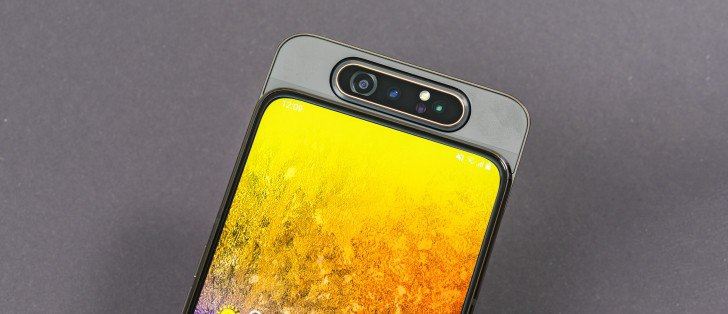
Honor 9X Pro review

Honor 9X Pro review

✨Score:- 3.3
💻Body: Front and rear glass, aluminum frame, 206g.
📱Display: 6.59\” LTPS IPS LCD, 1,080 x 2,340px, 19.5:9 aspect ratio, 391ppi.
⚡️Rear camera: Primary – 48MP, 27mm, f/1.8; PDAF; Ultrawide – 8MP, 13mm, f/2.4; Depth sensor – 2MP. Video recording up to 1080p@30fps.
📀Front camera: Motorized pop-up with 16MP, f/2.2; fixed focus lens.
🖥OS/Software: Android 9 Pie, EMUI 9.1.
📸Chipset: Kirin 810: octa-core CPU (2×2.27 GHz Cortex-A77 & 6×1.88 GHz Cortex-A55); Mali-G52 MP6 GPU.
🔋Memory: 8GB of RAM; 128/256GB storage; microSD card slot (hybrid).
📲Battery: 4,000mAh, 5V/2A charging
🕹Connectivity: Dual SIM; Wi-Fi a/b/g/n/ac, Bluetooth 5.0; USB-C, 3.5mm jack.
📒Misc: Fingerprint reader (side-mounted)
Uncategorized

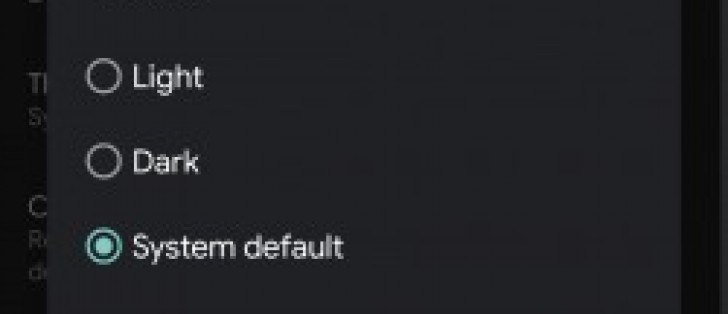
Google Play Dark Mode Now Available

While phones running on Android 10 have enjoyed the benefits of Dark Mode in Google Play for several months, Google has finally brought the alternative color mode to devices on lower Android versions. According to the latest Twitter post from the Google Play account, Dark mode on Google Play is now available on all Android devices. The new Dark Mode theme naturally replaces the white UI elements with black and dark grey ones while keeping its signature green accent colors.
To switch to dark mode head to play store> settings > theme.
 
Uncategorized

How To Flash/Reset Your Android

I\’m guessing you\’d like to wipe your Android right? Why? Is it cause of bugs? Malewares? Bricking? Viruses or you wanna start over? There are more than a way to do it and if you\’re using any Android from Android 7 Nougat till dated Android 10 you\’d have to be careful so your phone don\’t go into FRP mode, in case you\’re wondering what FRP is, FRP is Factory Reset Protect it protects your phone in case it gets stolen and someone wants to wipe it, if your mail is logged on your phone and it gets stolen, after wiping, your phone would ask for the details of the mail/previous owner to confirm the rightful owner. Now you wouldn\’t want your phone to go into FRP if you don\’t really know about your Gmail login info…let\’s head down…
Head to settings, click user accounts, locate your Gmail accounts and click remove Gmail, confirm the password and once your Gmail is removed, your phone should be good to wipe/reset or flash now as it won\’t go into FRP mode BUT IF YOU KNOW YOUR GMAIL LOGIN INFO, ITS NOT NECESSARY TO REMOVE YOUR GMAIL.
Now head to settings and click more settings you should see RESET OPTIONS click reset to wipe, in some other cases your phone can\’t boot or startup you\’d have to hard reset it, how to do that?
Power off your phone or if it\’s off, HOLD TOGETHER YOUR POWER BUTTON AND YOUR VOLUM DOWN BUTTON, KEEP HOLDING IT TILL BOOT, IT SHOULD DISPLAY THE HARD RESET OPTIONS, CLICK  eMMC or Reset.
 Note: in some phones if holding the power button and volume down button don\’t work, try power button and volume up.
Uncategorized

What Is Dark Web?

Darkwebs are not your everyday regular sites you visit, it\’s not like Google, Facebook, Quora or whatever…it is a deeper and darker part of the internet, it can\’t be easily accessed as ALL it\’s Web addresses ends in .onion instead of .com .net .org .info etc… It CANNOT be accessed with any browser except Tor Browser and it\’s Web addresses are harder to remember they\’re all something like https://wptni1cok7jecua.onion
 Now you must be wondering why it\’s called dark web right? As the name implies dark webs are private sites which is mostly used for illegal activities like the selling of firearms, illegal drugs, pirating of files, hiring of assassins and a lot more, it is totally UNSAFE to be on dark web, it is highly recommended to protect yourself against spies/hackers and trackers that\’s why you should always be on VPN whenever you\’re visiting a dark web and your phone/PC camera must be covered (you never know who\’s watching) 
 It\’s dangerous, and you shouldn\’t just be snooping around dark webs, they are not your regular websites.
 Although Dark webs are not really the deepest part of the internet there are also
 Deep web and the deepest which is Mariana\’s Web (named after the deepest part of the ocean where no light touches) Always remember \”Safety First\”
Uncategorized

How To Change Your Android Phone Emoji (root)

This method works 100% and it requires root.

 Requirements are
1 Rooted phone
2 Magisk manager
3 Gboard (Google keyboard)
4 Internet connection
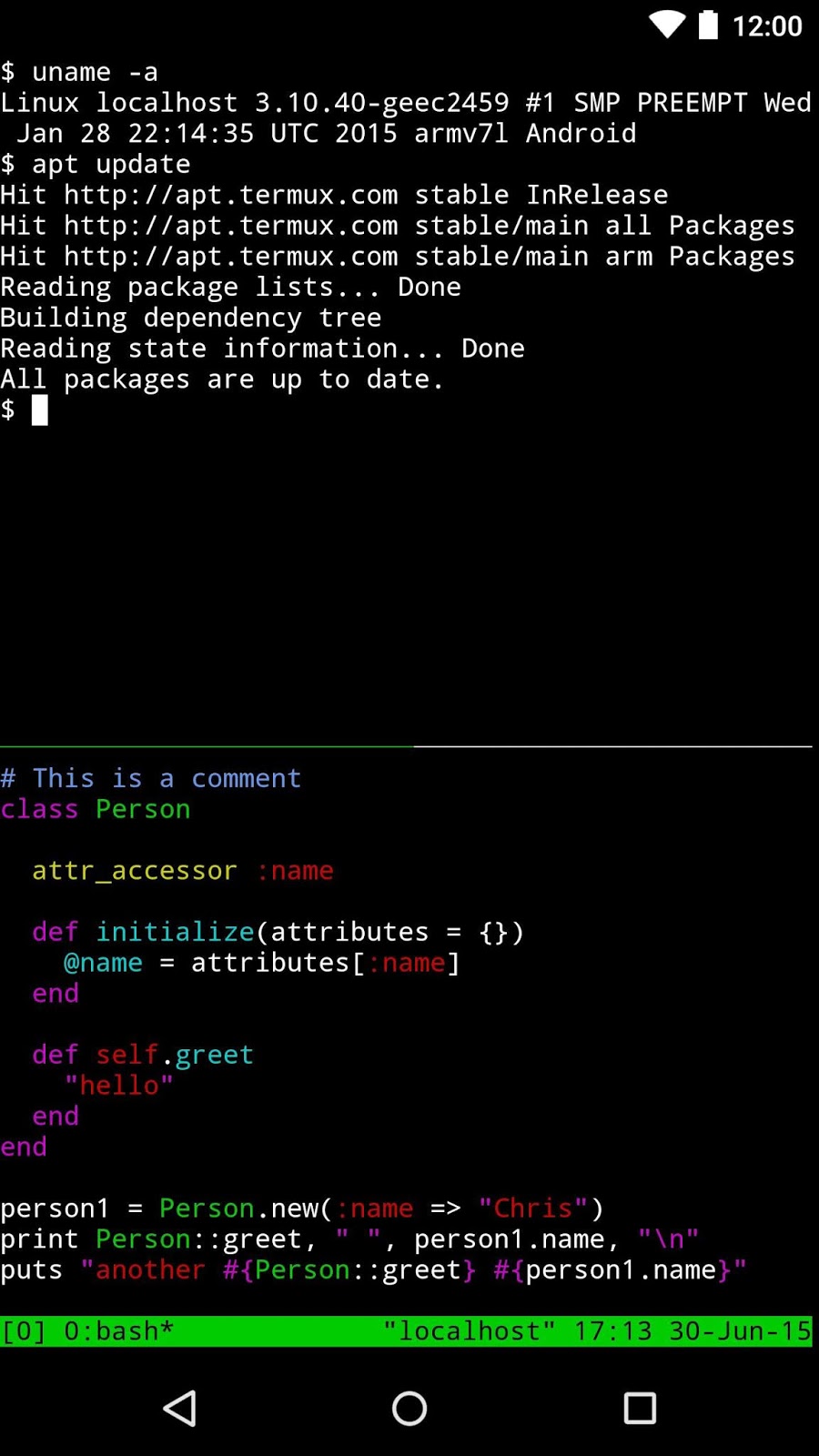
5 Termux App
First you have to root your phone or do you have a Rooted device already? Let\’s get down.
 install Magisk manager and click option, click \”Download\” and search for \”font changer\” now click on it, it should show you \”download or install\” click install to install it immediately, after loading the flash it would ask you to reboot your device, just reboot it…now your phone is back on, head over to playstore and download Termux, launch it and after it finished loading it should ask you for root permission via Magisk manager, now grant it access, then open Termux and click on search, type in the letters \”su\” (without the \” symbol) and click search after loading now type in \”font_changer \” (without the \” symbol) after that follow the commands press the numbers to choose, after you\’ve selected the emoji of your choice it\’d take 3mins to load, when done device would ask to reboot, reboot then you should see the new emoji. NOTE: YOUR INTERNET MUST BE ON THROUGH OUT THE PROCEDURES.
IF IT SAYS INSTALLATION FAILED, JUST HEAD OVER TO YOUR FONT CHANGER FOLDER AND DELETE THE .ZIP THAT FAILED AND TRY AGAIN.
Uncategorized

Ways To Make Your Android Phone Faster, Check Out No.1

Android phone too slow? Lagging? App start up time annoying? Typing too slow? You feel like smashing your phone? Well don\’t here are top 6 ways to speed up your phone, when phone stops receiving updates and gets older they tend to develop bugs, that\’s why patches are released and updates are needed, here are the top 6 ways to rocket your phone
6 – System updates, always update check for your phone updates and update it
5 – Optimizing, Optimizing helps force close some background running apps
4 – clearing of cache, not only does it free space but it helps speed up your phone
3 – rebooting, rebooting resets apps start time and running apps
2 – Space, you should really really learn to uninstall nonsense files you don\’t need anymore, more space the faster your phone goes
1 Animation scale – phone animations dull the phone display, now let\’s try something, head over to your phone settings, click on about phone, scroll down and click on Build Number, click on it 4x or 5x fast, it Should enable your developer options, now head over to developer options and scroll, look for Windows Animation Scale, once you find it choose .5x as it reduces motion..now exit and see how fast your phone goes
Uncategorized

How To Change Font On Android With Termux (root)

This method works 100% and it requires root.
 Requirements are
1 Rooted phone
2 Magisk manager
3 Termux app
4 Internet connection
First you have to root your phone or do you have a Rooted device already? Let\’s get down.
 install Magisk manager and click option, click \”Download\” and search for \”font changer\” now click on it, it should show you \”download or install\” click install to install it immediately, after loading the flash it would ask you to reboot your device, just reboot it…now your phone is back on, head over to playstore and download Termux, launch it and after it finished loading it should ask you for root permission via Magisk manager, now grant it access, then open Termux and click on search, type in the letters \”su\” and click search after loading now type in \” \”font_changer \” without the \” symbol, after that follow the commands press the numbers to choose, after you\’ve selected the font of your choice it\’d take 3mins to load, when done device would ask to reboot, reboot then you should see the new FONT. NOTE: YOUR INTERNET MUST BE ON THROUGH OUT THE PROCEDURES.
Uncategorized

How To Enable Dark Mode On Non Supported Phones

The new Android OS versions are rolling out with dark mode feature and some users with V7 Nougat or V8 Oreo phones don\’t have it…the dark mode feature helps protect the eyes from bright light and blue lights, if your phone ain\’t supported here\’s how to enable it…
1 head over to play store search for \”Dark Mode\” and download the app
2 start it up and select your preferred mode, night, day or automatic
3 if night or dark mode is selected, launch your Instagram, WhatsApp or playstore…you should see they\’re all in dark mode… Note: not all app supports dark mode, some are still yet to roll out the update.
Uncategorized

Facebook Would Pay You For Using Their Viewpoint App, But is It Worth It?

Few months ago Facebook launched Viewpoints an app that\’d pay you $5 for your voice recognition, but is it worth it? 

If you are the type that prefers a private life then you should know Facebook is totally not secure, over the years Facebook has accidentally or intentionally leaked millions of data, even WhatsApp\’s end to end encryption is a lie, people are boycotting WhatsApp after it failed to prove it\’s encryption, and now Facebook wants your voice? Is $5 worth it? It\’s available on play store