

Tag: Info
Apple finally lets you see your Wi-Fi network’s password in iOS 16.
Unplug to avoid overcharging.

Google likely working on two built-in snores, cough detection features.
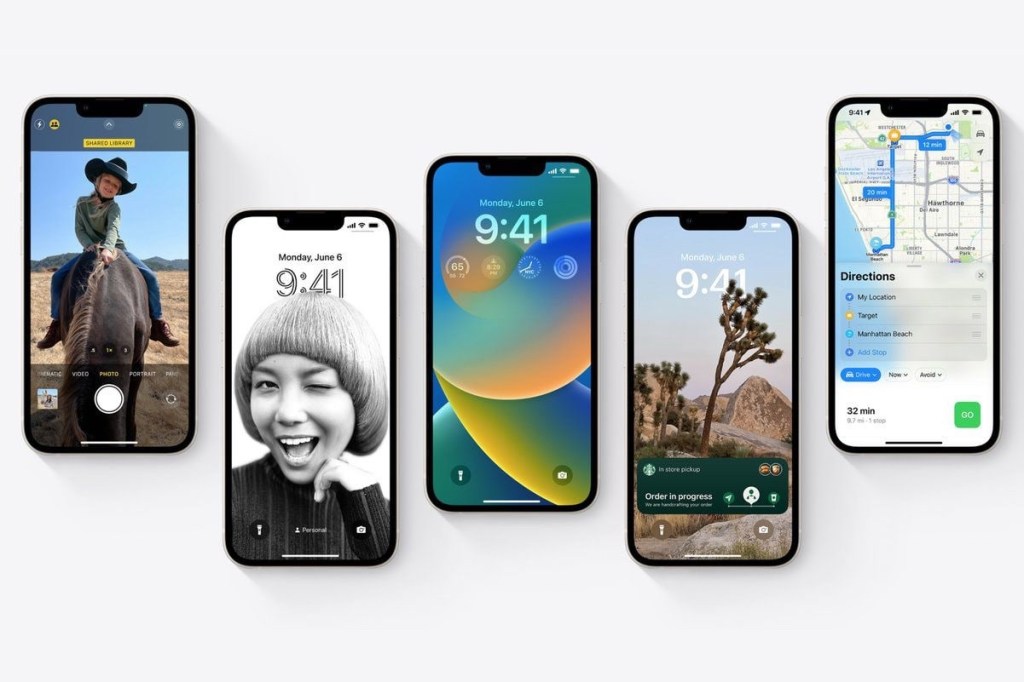
Latest iOS 16 Concept Envisions Always-On Display, New App Icons, Interactive Widgets, More.

Network Protocol Terminologies Part 1
Network Protocol Terminologies Part 1

LAN: LAN stands for “Local Area Network” and refers to a network that is not publicly accessible by the internet. Examples of this are home or office network.
WAN: WAN stands for “Wide Area Network” and generally refers to large dispersed networks and, more broadly, the internet.
ISP: ISP stands for “Internet Service Provider” and refers to the company responsible for providing you access to the internet.
NAT: Network Address Translation allows requests from outside your local network to be mapped to devices within your local network.
Firewall: A firewall is a piece of hardware or software that enforces what type of network traffic is and is not allowed. This is generally done by establishing rules for which ports should be externally accessible.
30+ READYMADE PHISHING PAGES FOR HACKING, SPAMMING

30+ READYMADE PHISHING PAGES FOR HACKING, SPAMMING
Today I\’m sharing a collection of phishing pages of different sites including PAYPAL, INSTA, FACEBOOK, GOOGLE, SPOTIFY, NETFLIX and many more.
DOWNLOAD PHISHING PAGES –
Most Of you already know how to use and setup phishing pages. But if you dont know how to setup it then read below guide.
SETUP PHISHING PAGES
Step 1 -Register a free webhost. I am using 000webhost. Click here to register free webhost.
000webhost
Step 2 – After you clicking above link. It will display a Sign Up page , Fill it with your Email , Password Give some Website Name.
• Email – Your any Email.
• Password – What you like
• Website Name – link name for your phishing site.
Step 4 – After successful Registration, You MAY see the dialog box
Step 5- Now click Awaiting Email Confirmation and confirm your email address. (open your mail and click confirm)
Step 7 – Now You need to open file manager of your website on webhost and then just find html folder or public html.
Step 8- We will upload phishing files directly on public html folder. Done now share link with victim.
if victim will enter details you will get it on same folder in your file manager of 000webhost account
20 Ways to Secure Data, Passwords, Financial & Personal Information on Internet
20 Ways to Secure Data, Passwords, Financial & Personal Information on Internet
Always turn on data backup
Update your device software regularly
Always turn off your PC after use
Always Protect your Password
Delete files properly
Always turn off Bluetooth and Wi-Fi when not in use
Protect Your Device With Security Lock
Reset Your Device Properly Before Selling
Don’t share personal information on random calls, SMS, or emails
Be careful while shopping online
Don’t share your personal information publically on social media
Take care of the privacy settings of your device
Don’t add any random person to your friend list on social media sites
Avoid using Public wifi for personal browsing and online banking.
Always sign out from important sites
Always use two-way authentication
Don’t open random links on email and WhatsApp
Turn on SMS or email service for bank transactions
Always use antivirus for your device
Don’t let everybody use your device
How Do I Protect My Computer From Bots?

How Do I Protect My Computer From Bots? 🤖
━━━━━━━━━━━━━
It’s very possible to protect your computer from bots, but it takes diligence and knowing what to look for. Use the following tips to keep your computer safe:
Install firewalls to block malicious attacks and never turn them off.
Use a long and complicated password that contains numbers and symbols.
Never use the same password for multiple programs.
Install quality anti-malware software such as Norton Security to protect your device.
Ensure software is up to date, and never ignore system updates.
Refrain from using flash drives, or thumb drives, in an infected computer.
━━━━━━━━━━━━━
4 Proven Ways To Find a Website\’s IP Address
4 Proven Ways To Find a Website\’s IP Address

This tutorial teaches you how to find the IP address of a website. You can do this by using your computer\’s built-in \”traceroute\” function, or by downloading and using a free traceroute app for your iPhone or Android.
#1 ON WINDOWS
• Open your PC and click on start menu. Search For \”cmd\” (Without quotes)
• Right Click on cmd and click on \”Run as administration\”
• Now enter a command –
ping website address -t
Ex. – ping google.com -t
• Now hit enter. You will get it.
===============================
# 2 ON MAC OS
• Open Spotlight (Click the magnifying glass-shaped icon in the top-right corner of the screen.)
• Search for Network Utility and open it. After that Click on Traceroute tab in network utility.
• Now Enter website address in input box and click on trace button You will see the IP address of website
================================
#3 ON ANDROID
• Download and install PingTools Network Utility app then open it.
• Tap ☰. It\’s in the upper-left corner of the screen. A pop-out menu will appear.
• Now tap Traceroute Enter Website address and click on trace button
=================================
#4 ON IPHONE
•Install and Open Inettools app
•Click on Traceroute then Click on adress bar and input website address (e.g. google.com)
•Click on start. You will see the IP address of website.
=================================
Note – Do not try to find ip address of Government sites (.gov, .gov.in, ac.in etc)
Get Verified PayPal , And Create Multiple Accounts (No Limit)
⚜ Get Verified PayPal , And Create Multiple Accounts (No Limit)
How to create a PayPal stealth Account
Download a VPN. You need a VPN that is only for you, thus no NordVPN or shit. Use something like IPBurger to get a dedicated VPN (Or just google this)
Use a Website like https://fake-it.ws/ to get a fake Address
Get a new Phone Number. Either buy a Prepaid Sim in a shop for $10 or use any other service like TextMe.
Get a Prepaid/Virtual Credit Card. I always used SecondEye for this, its $15 for a VCC, but its really worth it to make fake bank statements in case your PP gets limited/locked.
Use another Browser than you use for your normal paypal. Alternatively create another User on your PC or use a VPS/RDP.
If your account somehow gets locked because you where to stupid to follow this guide, use SecondEye to create a fake credit card statement or an bank statement. Can also create Fake IDs/Passports there, just print them out and make a Picture for Paypal.
How avoid limiting
Really dont use a public VPN NordVPN or some shit. Other People that use the same server and get banned by PayPal with be linked to your account if you do.
Always use a different Identity for each account (Different name, phone number, IP, Email, Address etc)
For at least a week, dont receive over $100 bucks to get the account \”warm\”.
Best to receive money as Friends and Family. Goods and Service are a risk to get limited.
Never use the same Browser/PC for a Profile. PayPal stores data in the cache and as cookies, which would fuck up all accounts.
Your account will be limited for sure if you receive above 1,5k. Use SecondEye for the Bank statements and stuff, or just use another account.
Enjoy !!!
Oppo Reno5 5G series will come with a trio of chipsets from Qualcomm and MediaTek

Oppo Reno5 5G series will come with a trio of chipsets from Qualcomm and MediaTek
We\’ve been seeing details about Oppo\’s upcoming Reno5 5G series for a while now. Oppo PEGM00/PEGT00 Now, well-known Chinese blogger Digital Chat Station confirmed we\’ll see versions of the Reno5 5G series with Qualcomm\’s Snapdragon 865 and 765G chips as well as Mediatek\’s Dimensity 1000. Digital Chat Station post We already know the Reno5 5G series will pack 65W fast charging.
━━━━━━━━━━━━━
⌨️
8 HACKING APPS TO CONVERT YOUR ANDROID INTO HACKER’S LAB

8 HACKING APPS TO CONVERT YOUR ANDROID INTO HACKER’S LAB
1:- Fасеnіff
Allows уоu to sniff аnd intercept wеb session рrоfіlеѕ over the WiFi thаt уоur mobile іѕ connected tо. It is possible to hіjасk sessions оnlу whеn WiFi іѕ nоt using EAP, but it should wоrk over any рrіvаtе networks.
2:-Nmар:
Nmap (Network Mарреr) is a ѕесurіtу scanner originally wrіttеn bу Gоrdоn Lуоn uѕеd to dіѕсоvеr hosts аnd ѕеrvісеѕ on a computer nеtwоrk, thuѕ сrеаtіng a “map” оf the nеtwоrk. Tо accomplish its gоаl, Nmар ѕеndѕ specially сrаftеd packets tо the tаrgеt hоѕt and thеn аnаlуѕеѕ thе rеѕроnѕеѕ. (Donwload for Android from below link)
3:-SSHDrоіd:
SSHDroid іѕ a SSH server іmрlеmеntаtіоn fоr Android. This аррlісаtіоn wіll let уоu connect tо уоur dеvісе frоm a PC аnd execute commands (like “tеrmіnаl” and “аdb ѕhеll”) оr edit files (through SFTP, WіnSCP, Cуbеrduсk, etc).
4:-Wifi Analyzer
Turns уоur android phone іntо a Wi-Fi аnаlуѕеr. Shоwѕ thе Wi-Fi сhаnnеlѕ аrоund you. Hеlрѕ you tо fіnd a lеѕѕ сrоwdеd сhаnnеl fоr your wireless rоutеr.
5:- Nеtwоrk Dіѕсоvеrу:
Dіѕсоvеr hosts аnd scan thеіr роrtѕ іn уоur Wifi network. A great tооl fоr tеѕtіng your nеtwоrk security.
6:-ConnectBot:
CоnnесtBоt is a powerful ореn-ѕоurсе Sесurе Shell (SSH) client. It can manage ѕіmultаnеоuѕ SSH sessions, create secure tunnеlѕ, аnd copy/paste betw
7:- dSрlоіt:
Andrоіd nеtwоrk аnаlуѕіѕ аnd реnеtrаtіоn ѕuіtе offering thе most complete аnd аdvаnсеd рrоfеѕѕіоnаl toolkit tо реrfоrm nеtwоrk security аѕѕеѕmеntѕ on a mоbіlе dеvісе
8:-SрооfAрр:
SpoofApp is a Caller ID Sрооfіng, Voice Chаngіng and Call Rесоrdіng mobile арр fоr your іPhоnе, BlасkBеrrу аnd Android phone. It’ѕ a dесеnt mobile арр tо hеlр protect уоur рrіvасу оn thе рhоnе. However, іt hаѕ been banned frоm the Plау Stоrе fоr allegedly being іn соnflісt with Thе Truth іn Caller ID Aсt of 2009.
A way Of Black Hat – Hacking Book

Learn about blackhat, social engineering. Get software commonly used by hackers and learn about what their purpose/utility Link:- http://get.itscybertech.com/blackhat-book Private Paid Book For free
Types Of Digital Footprints
Types Of Digital Footprints
━━━━━━━━━━━━━
Digital footprints can be classified into two broad categories — active and passive footprints — which depends on how your information is acquired.
Active Digital Footprints
━━━━━━━━━━━━━
Active digital footprints consist of the data you leave when you make deliberate choices on the internet. For instance, posts you make to your social media channels are a form of active footprint. When you are logged into a project management or similar site, changes you make that are connected to your login name are also part of your active footprint.
Here are a few examples of active digital footprints.
Posting on Facebook, Instagram, Snapchat, Twitter, and other social media platforms.
Filling out online forms, such as when signing up to receive emails or texts.
Agreeing to install cookies on your devices when prompted by the browser.
Passive Digital Footprints
━━━━━━━━━━━━━
Passive digital footprints are those you leave behind without intending to or, in some cases, without knowing it.
For instance, websites that collect information about how many times you’ve visited recently are adding to your digital footprint in a passive fashion. That’s because you don’t choose to give them this data. They collect it when a device at your IP address connects with their website. This is a hidden process, and you may not realize it is happening at all.
Here are three examples of passive digital footprints.
Websites that install cookies in your device without disclosing it to you.
Apps and websites that use geolocation to pinpoint your location.
Social media news channels and advertisers that use your likes, shares, and comments to profile you and to serve up advertisements based on your interests.
Both active and passive footprints can be tracked and observed in multiple ways and by multiple sources.
LifeHack : How to Delete WhatsApp Messages After Sending (Even After 68 Minutes Have Passed)

If you got too emotional and wrote some stuff you shouldn’t have written, or made an unforgivably stupid spelling mistake in a word, don’t be sad! You can delete messages on WhatsApp regardless of whether they have been read or not.
After you sent a message, you have 68 minutes to delete it. When this time passes, there will be no turning back but its we can bypass this limit and can delete message from everyone any time
Lifehack: how to delete a message after 68 minutes have passed
Classically, you only have 68 minutes to delete a message for both sides. But you can trick this rule and delete even older messages if you carefully read our articles. You can find a lot of useful tips for them.
To do this, open Settings on your gadget and turn airplane mode on.
If you are an iOS user, choose Date & Time in General settings. Android users have this option in the main settings menu.
Turn off the automatic time detection, and then manually change the date and time to the period when you sent the message. This is the time machine on your smartphone.
Open WhatsApp and Simply delete the message. After deleting msg Activate the automatic time setting again and only then turn the airplane mode off.
How To Get Free Stream Keys
How To Get Free Steam Keys
Step 1: Start Up SteamKeyGen.exe And Put In How Many Keys You Would Like To Generate.
The Keys Will Be Saved To Your Desktop As A .txt File.
Step 2: Load Up SteamBulkActivator.exe And Paste In Your Keys That You Have Just Generated.
Click The Register Keys Button And The Keys Will Be Scanned.
Once The Keys Have Been Scanned, It Will Show You The Valid Keys!
Step 3: Go To Steam And Activate Your Keys!
Use A VPN As You Will Get An Error Every 20 Keys Saying \”Too Many Activation Attempts, Please Try Again Later.If You Use A VPN, This Error Will Not Occur
Few tips to staying safe online and preventing identify theft

Few tips to staying safe online and preventing identify theft
▪️Share documents while at home
▪️Stay clear of sending sensitive data across public Wi-Fi networks
▪️Use double verification systems
▪️Do not share your passwords or leave them lying around
▪️Keep an eye on your credit score
▪️Watch out for phishing websites and fake campaigns
▪️Use an antivirus program on desktop and mobile
▪️Shop only at reputable websites
▪️Keep data divulging on social networks to a minimum
▪️Only download software from reputable sources
▪️Be wary of social media-spread fake contests and links
HOW TO EASILY BACKUP YOUR RDP TO PREVENT/MINIMIZE DATA LOSS
HOW TO EASILY BACKUP YOUR RDP TO PREVENT/MINIMIZE DATA LOSS
All RDPs can fail either because of the user\’s error or the RDP going unstable.
There are certain ways by which you can avoid any loss of data or minimize the losses.
Method
Prerequisite : A Google account with ample space , Data to backup
1. Download and install Backup and Sync – A free Google Tool
2. Login into your Google Account (if using an EDU Account, please use the login using browser method.
3. Choose the Folders you wish to back up and save
4. Disable the syncing of Drive on the RDP
5. Click on start and the selected folders will start getting backed up.
Note: It\’s advisable to close the backing up while you are using a checker as it can hinder with the checker.
One can run the backup and sync every few hours and thereby, minimize the losses.
HOW TO MAKE SHORT COMBOS EASY AND QUICK for cracking
HOW TO MAKE SHORT COMBOS EASY AND QUICK for cracking

(Because many people having issue in using sql)
(By this method you can crack easily HotStar Ganna saavn etc… Account )
1. Visit
Link- https://keywordtool.io
2. Search keywords related to your combo..
{Like you have to crack HotStar then search HotStar there}
3. Now copy all keywards…
4. Now open slayer leecher 0.6 version will drop that below this tutorial
5. Now paste all keywards in the keywards option
6. Now after pasting all keywords in the place of keywords now click start button.
7. Now wait for sufficient resultants… Around 5-10k
8. Now filter them
9. click on Grab now!
10. now click on pass to leecher…
11. Now put proxy that you have
Like http or socks
If you don\’t have scraped one download proxies from
12. Then click start button! You will start getting combos there…
After getting combos save them!
Now open Strom
1. Click on load then put configuration files that you want to crack
(If you don\’t able to find then click on class by ThaNos now scroll down below of description and now click on files there you will find all files that you need)
2. now after loading config file now setup bot like – 100-200 according to you….
3. Now click on top left side 3lines and go to combo and proxy and put your combo and proxy
4. Go back to previous page by clicking left top side 3lines
5. Now click on START button
6. Now again click on left side top corner 3 lines and click on stats
There you will see how many hits and free account you were getting from your combo…
This method is for some people who don\’t have RDP or have less space pc
 CHUCKYSCARNAGE