Uncategorized

How To Hack Windows 7 (Become Admin)

How To Hack Windows 7 

(Become Admin) 
This is approved request from our group
Hello! Hackers
In this tutorial I will tell you how to hack windows 7 administrator password.
Specifically, it is used in school, computer labs or other workplaces,
where, administrator is locked with a password, while you can only use standard user or guest.
Start That PC:
#Turn on the UPS and the CPU, tap F8 continuously on the boot screen to get some windows start-up options.
#Choose \”Start windows normally\” option and turn the UPS off immediately.
#Then turn on the PC again, let it load.
#After that you will be prompted with two options in the boot screen (again), select the first option – \”Launch Start-up Repair(recommended)\”
#Let it load and Scan for issues.
#After 5 min, It will ask you to \”restore defaults\”, select \”Cancel\” option.
#Let it continue…
Wait for About 15-20 Minutes:
#After 20 min, an error report screen will pop-up, asking to send information or not.
#Ignore it, click on \”View Problem Details\” arrow, scroll down to the end of the report, then click a link stating X:\\windows\\ something…something (the link starts with an\”X\”)
#Another Window will pop-up, and will look like a notepad (it is a notepad)
#Click File on the Menu-Bar, then select Open, and another window will pop-up (that\’s just too many windows!)
#Navigate to C: drive (or whatever drive on which windows is installed), click Windows, then System32, after that click on the arrow beside the \”File Type\” option and select \”all files\”
#Then search for a file named \”sethc\”(this is the shortcut to stickey keys), rename it to something else (Eg:abc)
#Search for cmd, make its copy and rename the copy as \”sethc\”
The End:
#Close everything, restart the PC, go to the log-in screen, press shift 5 times, until a cmd (command prompt) pops-up.
#Type in \”net user administrator /active:yes\”, and this will activate the default administrator account of the PC.
#Change/delete/manage/reset passwords from there.
Or you can directly change passwords from cmd, type \”net user (admin/any admin account\’s name) and then after a space put an asterix.
Thank you ❤️
 Share and support us❗️

Uncategorized

Realme 6 review

Realme 6 review
Score:- 3.8
Body: 162.1 x 74.8 x 8.9 mm, 191g; Front glass, plastic body, splash-proof
Screen: 6.5\” IPS LCD, FHD+ (1080 x 2400px) resolution, 90Hz refresh rate, 405 ppi
Camera: Primary: 64MP Quad-Bayer, f/1.8 aperture, 0.8µm pixel size, 1/1.72\” sensor size; Ultra-wide: 8MP, f/2.3 aperture, 1.12µm pixel size, 1/4\” sensor size; Macro: 2MP f/2.4, 1.75µm pixel size, 1/5\” sensor size; Depth sensor: 2MP mono camera
Front camera: 16MP f/2.0 aperture
Chipset: Mediatek Helio G90T (12nm): octa-core (2×2.05 GHz Cortex-A76 & 6×2.0 GHz Cortex-A55), Mali-G76 MC4 GPU
Memory: 4GB/64GB, 6GB/128GB, 8GB/128GB, expandable via microSD card
OS: Android 10, Realme UI
Battery: 4,300 mAh, 30W VOOC Flash Charge 4.0
Connectivity: 4G LTE; Dual SIM; Dual-band Wi-Fi, Bluetooth 5.1, GPS, USB Type-C 2.0
Misc: Side-mounted fingerprint reader, 3.5mm audio jack
Uncategorized

Latest update let you unlock your laptop with Mi Band 3 and 4

Latest update let you unlock your laptop with Mi Band 3 and 4
Xiaomi has released new software updates for the Mi Band 3 and Mi Smart Band 4 that now lets you unlock your laptops with the smart bands without having to install a third-party app on your smartphones. Initially this feature is only available for the Indian users and you can only unlock laptops running Windows 10 OS. Mi Smart Band 4 The new updates also improve the step counter to prevent the fitness bands from recording ghost steps. You first need to update the Mi Fit app on your smartphone to install the new firmware on your Mi Band 3 and Mi Smart Band 4.
Uncategorized

Q4 of 2019 saw HMD turn first profit, but sales are dwindling

Q4 of 2019 saw HMD turn first profit, but sales are dwindling 
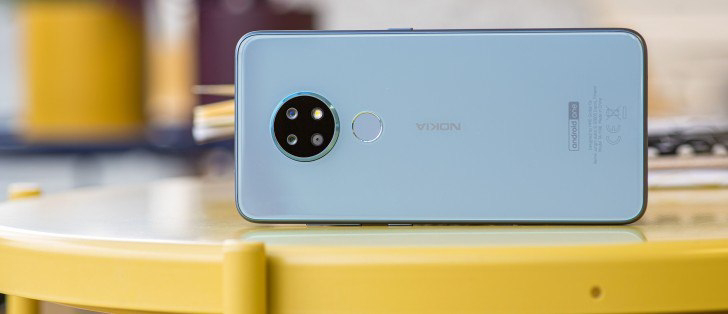
HMD turned to a multi-ODM strategy to assemble Nokia phones due to a supply chain disruption in the first half of 2019. Reportedly the first devices to be manufactured by two new ODMs were the Nokia 2.2, 3.2 and 4.2. Using multiple ODMs has allowed HMD to make and sell phones at better margins, meaning that it was able to turn a profit despite moving fewer units.
Uncategorized

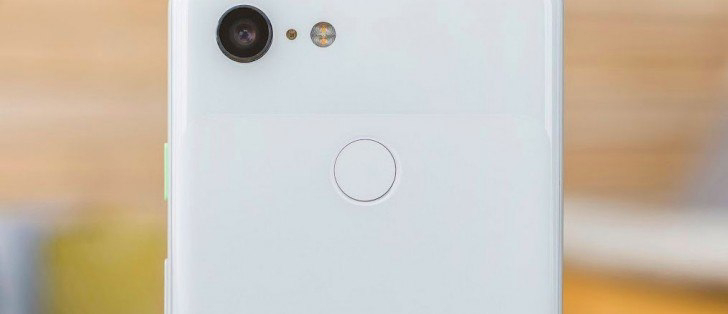
Google no longer sells the Pixel 3 or 3 XL

Google no longer sells the Pixel 3 or 3 XL
Google\’s online Store no longer carries the Google Pixel 3 or Pixel 3 XL. A Google spokesperson has confirmed to Android Police that Google has ceased sales of the third-generation Pixel smartphone. The Google Store still sells the Pixel 3a, Pixel 3a XL, Pixel 4, and Pixel 4 XL. Even if you managed to find the landing page for the Pixel 3, which isn\’t accessible from the Google Store navigator, all storage sizes and carrier configurations are out of stock. In any case, we might recommend you consider the power-efficient and economical Pixel 3a or 3a XL, but perhaps not before its successor is released: the 4a. We\’re expecting to see the launch of the budget-friendly Pixel 4a coming soon.
Uncategorized

42+ Text-Editing Keyboard Shortcuts That Work Almost Everywhere

42+ Text-Editing Keyboard Shortcuts That Work Almost Everywhere
Whether you’re typing an email in your browser or writing in a word processor, there are convenient keyboard shortcuts usable in almost every application. You can copy, select, or delete entire words or paragraphs with just a few key presses.
Some applications may not support a few of these shortcuts, but most applications support the majority of them. Many are built into the standard text-editing fields on Windows and other operating systems.
Working With Words
We’re used to the arrow, Backspace, and Delete keys working with a single character at a time. However, we can add the Ctrl key to have them effect entire words or paragraph at the same time.
Ctrl+Left Arrow – Move cursor to beginning of previous word.
Ctrl+Right Arrow – Move cursor to beginning of next word
Ctrl+Backspace – Delete previous word.
Ctrl+Delete – Delete next word.
Ctrl+Up Arrow – Move cursor to beginning of paragraph.
Ctrl+Down Arrow – Move cursor to end of paragraph.
Mac Users: Use the Option key instead of the Ctrl key.
Moving the Cursor
The Ctrl key can also be combined with the Home and End keys.
Home – Move cursor to beginning of current line.
End – Move cursor to end of current line.
Ctrl+Home – Move cursor to top of the text entry field.
Ctrl+End – Move cursor to bottom of the text entry field.
Page Up – Move cursor up a frame.
Page Down – Move cursor down a frame.
Selecting Text
All of the above shortcuts can be combined with the Shift key to select text.
Shift+Left or Right Arrow Keys – Select characters one at a time.
Shift+Up or Down Arrow Keys – Select lines one at a time.
Shift+Ctrl+Left or Right Arrow Keys – Select words – keep pressing the arrow keys to select additional words.
Shift+Ctrl+Up or Down Arrow Keys – Select paragraphs.
Shift+Home – Select the text between the cursor and the beginning of the current line.
Shift+End – Select the text between the cursor and the end of the current line.
Shift+Ctrl+Home – Select the text between the cursor and the beginning of the text entry field.
Shift+Ctrl+End – Select the text between the cursor and the end of the text entry field.
Shift+Page Down – Select a frame of text below the cursor.
Shift+Page Up – Select a frame of text above the cursor.
Ctrl+A – Select all text.
You can use several of these shortcuts to fine-tine your selected text. For example, you could press Shift+End to select the text to the end of the current line, and then press Shift+Down to also select the line below it.

After selecting text, you can start typing immediately to replace the text – you don’t have to press Delete first.

Editing
You can really speed up text-editing by using the Ctrl keyboard shortcuts to copy and paste text.
Ctrl+C, Ctrl+Insert – Copy selected text.
Ctrl+X, Shift+Delete – Cut selected text.
Ctrl+V, Shift+Insert – Paste text at cursor.
Ctrl+Z – Undo.
Ctrl+Y – Redo.
Formatting
Formatting shortcuts only work if the application or website you’re using supports text formatting. If you have text selected, the shortcut will apply the formatting to your selected text. If you don’t have text selected, the shortcut will toggle the associated formatting option.
Ctrl+B – Bold.
Ctrl+I – Italic.
Ctrl+U – Underline.
Functions
These function keys are common to most text-editing applications. If you use them in your web browser, you’ll open your browser’s associated dialogs.
Ctrl+F – Find. This opens the find dialog in most applications to search for text — I’ve even seen it work in some applications that didn’t have a Find option in their menus.
F3 – Find next.
Shift+F3 – Find previous.
Ctrl+O – Open.
Ctrl+S – Save.
Ctrl+N – New document.
Ctrl+P – Print.
These keys work in most applications, but are particularly useful in text editors:
Alt – Activate application’s menu bar. You can use the arrow keys to select a menu option and the Enter key to activate it.
Alt+F – Open File menu.
Alt+E – Open Edit menu.
Alt+V – Open View menu.
Uncategorized

Weekly poll: the Huawei P40 phones are so good, but can you love them with no GMS on board?

Weekly poll: the Huawei P40 phones are so good, but can you love them with no GMS on board?
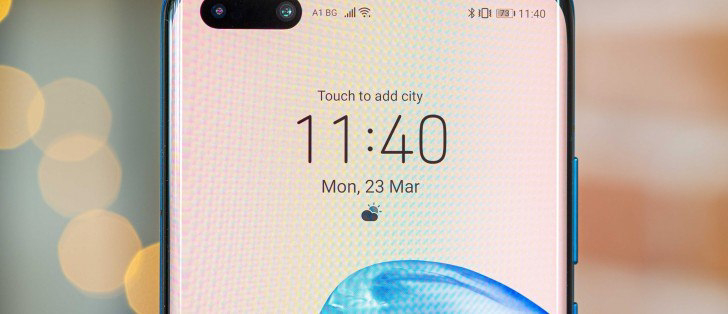
The company even unveiled its own voice assistant, video chat and Cast protocol, but the question remains – would you buy these phones and leave the Google ecosystem behind? Huawei P40 Huawei P40 Pro Huawei P40 Pro First, let\’s consider why it\’s so tempting to do so. The Huawei P40 Pro brings the brand\’s first high refresh rate display and reworks the complicated hardware above the screen – the IR face scanner, ToF and gesture sensor are still on board, but they now live in a pill-shaped punch hole that\’s way smaller than the Mate 20 Pro notch. The Huawei P40 costs €800, saving you €200 compared to the Pro.
Uncategorized

Samsung Galaxy M01 with Android 10 certified by the Wi-Fi Alliance

Samsung Galaxy M01 with Android 10 certified by the Wi-Fi Alliance
A couple of weeks back, SamMobile reported about a Galaxy M01 device. More recently, this unannounced Galaxy M01 device has been certified by the Wi-Fi Alliance with support for Wi-Fi b/g/n. No other details about the Galaxy M01 are known, but the recent Wi-Fi Alliance certification suggests its launch should be imminent.
Uncategorized

Huawei P40 Lineup Uses BOE Screens

Huawei P40 lineup uses BOE screens
The Huawei P40 family debuted yesterday with two different displays – vanilla P40 with a flat 6.1\” OLED of FullHD resolution, and quad-curved 90Hz 6.6\” OLED for the P40 Pro and P40 Pro wioth 1200x2640px resolution. Huawei P40 Pro Huawei P40 BOE was really proud of its accomplishment with the curved panels of the P40 Pro and P40 Pro that also have a depth/biometric sensor tucked in the punch hole. The basic P40 has two cameras and this was more of a two-punch-hole solution.
Uncategorized

Huawei P40 Pro Review

Huawei P40 Pro review
Score:- 4.4
Body: Glass front and back, aluminum frame; IP68-rated for dust and water resistance.
Screen: 6.58\” quad-curved OLED, 1,200×2,640px resolution (440ppi); HDR10.
Chipset: Kirin 990 5G, octa-core processor (2xA76 @2.86GHz + 2xA76 @2.36GHz +4xA55 @1.95GHz), Mali-G76 MP16 GPU, dual-core NPU.
Memory: 8GB RAM, 256GB UFS3.0 storage (expandable via Nano Memory – hybrid slot).
OS/Software: Android 10, EMUI 10.1.
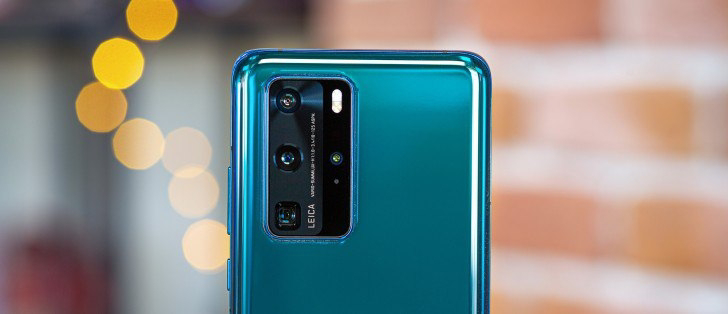
Rear camera: Primary: 50MP (RYYB filter), 1/1.28\” sensor size, 23mm f/1.8 lens, OIS, PDAF; Telephoto: 8MP (RYYB filter) 1/4.0\” with periscope 125mm f/3.4 OIS lens, 5x optical and 10x hybrid zoom, PDAF; Ultra wide angle: 40MP (RGGB filter), 1/1.54\”, 18mm, f/1.8, PDAF; ToF camera; 4K@60fps video capture, 720@7680fps slow-mo; Leica co-developed.
Front camera: 32MP, f/2.2, 26mm; ToF camera.
Battery: 4,200mAh; Super Charge 40W; 27W wireless charging; 27W reverse wireless charging.
Security: Fingerprint reader (under display, optical), 3D face recognition.
Connectivity: 5G/4G/3G/GSM; Dual SIM, Wi-Fi 6+, Dual-band GPS, Bluetooth 5.1 + LE, NFC, USB Type-C.
Misc: IR blaster, acoustic display acts as earpiece, bottom-firing loudspeaker.
 
Uncategorized

How to remove a Trojan, Virus, Worm, or other Malware from Windows, follow these steps

How to remove a Trojan, Virus, Worm, or other Malware from Windows, follow these steps 
STEP 1: Use Rkill to terminate suspicious programs
STEP 2: Use Malwarebytes to remove Trojans, Rootkits, or other Malware
STEP 3: Use HitmanPro to scan for Browser Hijackers and Adware
STEP 4: Use Zemana AntiMalware Free to remove Potentially Unwanted Programs
(OPTIONAL) STEP 5: Double-check for malicious programs with Emsisoft Emergency Kit
(OPTIONAL) STEP 6: Reset your browser to default settings
Uncategorized

Xiaomi Mi 10 lands in India on March 31

Xiaomi Mi 10 lands in India on March 31
The Xiaomi Mi 10 that was launched in China last month, and set to make a global debut on March 27, will arrive in India on March 31. Either Xiaomi will have another event for it later on or it will miss that market altogether. Xiaomi Mi 10 comes in Peach Gold, Green, and Black colors Fueling the entire package is a 4,780 mAh battery that draws power at up to 30W through wired and wireless chargers.
Uncategorized

Oppo shares the wrong Find X2 weight, offers refunds

Oppo shares the wrong Find X2 weight, offers refunds
Oppo\’s Vice President, Shen Yiren, addressed company\’s fans on Weibo and apologized for the mistake they\’ve made on Find X2\’s product page. It seems that the glass and ceramic versions of the Find X2, both have been listed with lower than actual weight on the product page. The glass Find X2 has been listed with a weight of 187g while it\’s actually 192g while the discrepancy between the actual and listed weight of the ceramic version is even higher – 196g versus 209g. The Find X2 Pro ceramic version was also listed with about 10 grams lower weight.
Uncategorized

Samsung to deliver firmware fix for all early Galaxy S20 issues

Samsung to deliver firmware fix for all early  Galaxy S20 issues 
Samsung is reportedly working on a few bug fixes for the Galaxy S20, S20 and S20 Ultra with a firmware update soon. The update will focus on reported overheating issues while wirelessly charging with a Qi charger, camera app freezing, poor battery management and unstable Wi-Fi performance. Samsung did issue an update in Korea a few weeks ago, which reportedly improved the AF situation, but it hasn\’t been rolled everywhere yet.
Uncategorized

Samsung Rolls Out Android 10 Update For Three More Smartphones

Samsung rolls out Android 10 update for three more smartphones

Samsung rolled out Android 10 with One UI 2.0 for two smartphones this month – Galaxy M40 and Galaxy A70s. Galaxy A7 Android 10 update changelog The Galaxy A6 gets Android 10 with build number A600FNXXU5CTB9 and March 2020 Android security patch. The Android 10 update for the Galaxy A7 is currently seeding in India, while the updates for Galaxy A6 and Galaxy A80 are rolling in France.
 
Uncategorized

Honor 9X Pro review

Honor 9X Pro review

✨Score:- 3.3
💻Body: Front and rear glass, aluminum frame, 206g.
📱Display: 6.59\” LTPS IPS LCD, 1,080 x 2,340px, 19.5:9 aspect ratio, 391ppi.
⚡️Rear camera: Primary – 48MP, 27mm, f/1.8; PDAF; Ultrawide – 8MP, 13mm, f/2.4; Depth sensor – 2MP. Video recording up to 1080p@30fps.
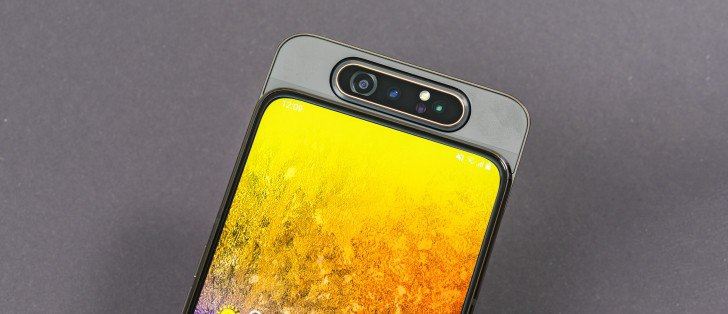
📀Front camera: Motorized pop-up with 16MP, f/2.2; fixed focus lens.
🖥OS/Software: Android 9 Pie, EMUI 9.1.
📸Chipset: Kirin 810: octa-core CPU (2×2.27 GHz Cortex-A77 & 6×1.88 GHz Cortex-A55); Mali-G52 MP6 GPU.
🔋Memory: 8GB of RAM; 128/256GB storage; microSD card slot (hybrid).
📲Battery: 4,000mAh, 5V/2A charging
🕹Connectivity: Dual SIM; Wi-Fi a/b/g/n/ac, Bluetooth 5.0; USB-C, 3.5mm jack.
📒Misc: Fingerprint reader (side-mounted)