
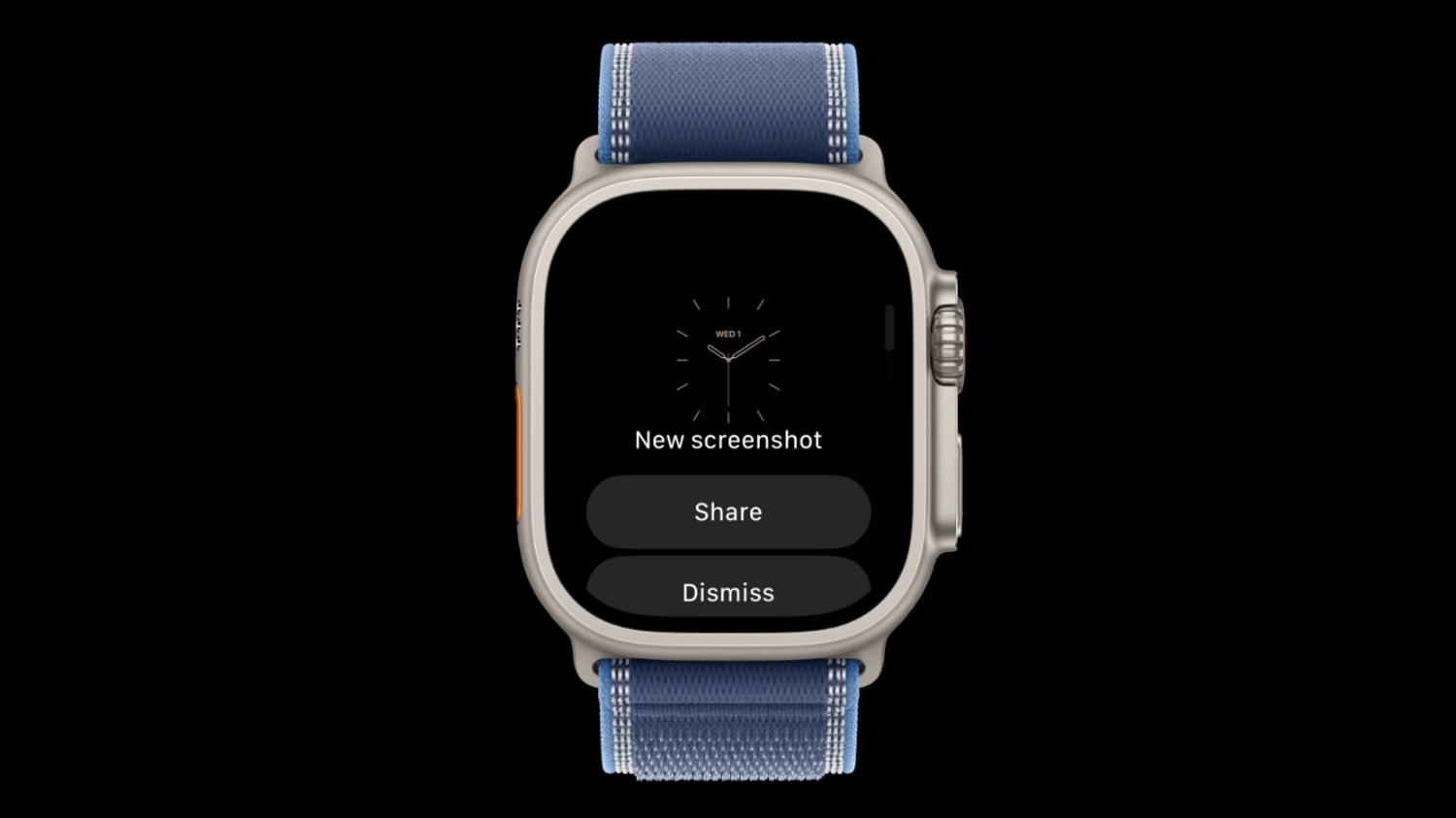
WatchOS 27.2 could introduce a feature that lets Apple Watch screenshots be previewed with options to share or delete, similar to how screenshots work on the iPhone. Signs of the feature were found in watchOS 27.2 by code explorer pdfu. The option is hidden behind a feature flag that’s not enabled, but it could be introduced in a later watchOS 27.2 beta.
A new screenshot experience is coming to Apple Watch, inspired by iPhone. Hidden behind a feature flag in watchOS 27.2, it lets you preview, share, or delete a screenshot right after taking it. Pic.twitter.com/MT5wmDjRnq — pdfu (@itspdfu) September 24, 2026 Right now, taking a screenshot on the Apple Watch sends it directly to the iPhone Photos app with no confirmation screen.
It’s easy to accidentally take a screenshot since it only requires pressing the Digital Crown and side button at the same time. On the iPhone, taking a screenshot shows either a full-screen preview or a thumbnail preview depending on your settings, but both options let you save, share, or delete the screenshot with a couple taps. Screenshots on Apple Watch are disabled by default but can be turned on through the Settings app on the watch or the Apple Watch app on iPhone.
Apple Watch Ultra includes a few more ways to customize your watch face than Series models. These include Ultra-only faces, colors and fonts, and a bezel-type complication.
Pixel Watch’s new Health Guardian feature brings BP, insulin resistance, and sleep quality trends. Your Pixel Watch now flags your risk of hypertension and diabetes.
These include blood pressure and insulin resistance trends, as well as sleep quality analysis. The features are now available for free on the Pixel Watch, while Fitbit Air users will have to pay for them.
The first trend reports for the health data will be available in early October. The Pixel Watch 5’s blood pressure and insulin resistance trends are rolling out this week.
Apple Watch Ultra 4 goes even further, adding a new option in the bezel configuration category. Apple Watch Ultra 4 includes a new watch face bezel option.
At the launch of the Pixel Watch 5, Google announced Health Guardian, a suite of features that detect trends from your health data and predict concerning physiologic changes, such as hypertension, diabetes, or sleep apnea. Google promised to roll it out “in fall,” and it’s now delivering on that commitment.
Starting today, three vital Health Guardian features, including blood pressure trends, insulin resistance trends, and sleep breathing quality, are now available for the Pixel Watch 3 and Watch 4, alongside the newly launched Pixel Watch 5. These three metrics join Breathing Emergency detection, which has been available on the Pixel Watch 4 and 5 since launch, but only in limited European countries.
Wearables The Pixel Watch 5’s blood pressure and insulin resistance trends are rolling out this week The first trend reports for the health data will be available in early October. This platform promised to bring a new layer of insight to the wearer’s blood pressure, insulin resistance and sleep breathing.
Here’s what Siri AI looks like on HomePod, per leak Ryan Christoffel Sep 23 2026.
Those health tracking tools were not available at the time of our review, but considering we rated the Pixel Watch 5 highly at its launch date, the rollout of these new tools should further increase the device’s appeal — provided they work well. The Google Health app will start receiving the Health Guardian lineup this week, with the first wave of trend reports to be available in early October.
This rollout means tracking can begin for blood pressure trends, insulin resistance trends and sleep breathing quality metrics for the owners of Pixel Watch 3, 4 and 5. Wearers with the fourth and fifth generation Pixel Watch in European countries will also have access to Google’s Breathing Emergency Detection tool, which will automatically contact emergency services if the device observes a severe drop in blood oxygen.
Discover more from ChuckysCarnage
Subscribe to get the latest posts sent to your email.

