
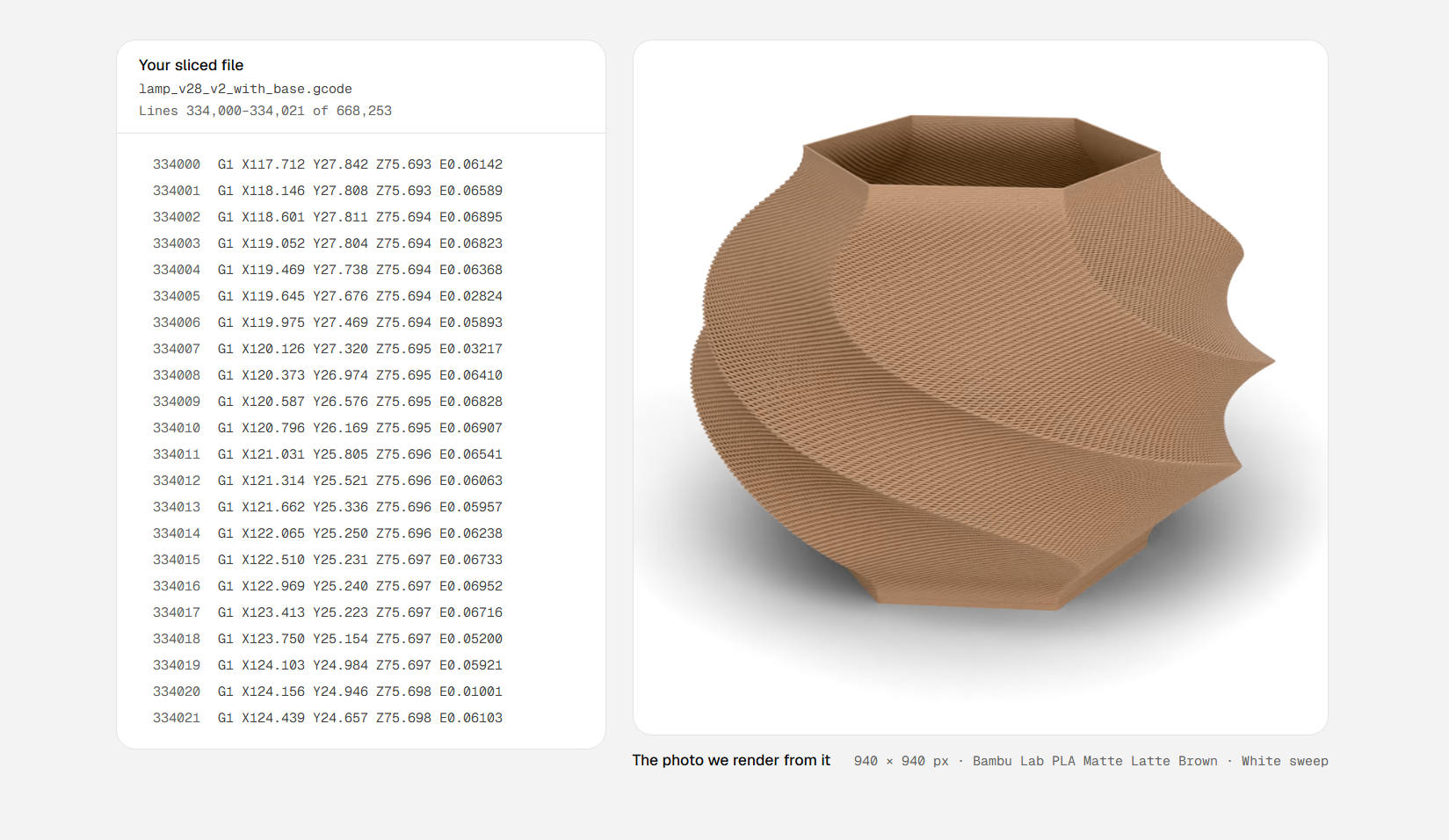
Your CAD software generally has some rudimentary tools for rending images of your parts, from simply-textured models to more photo-realistic options. Those renders are of the geometry you created—not …. Rendering 3D Prints From G-Code.
Those renders are of the geometry you created—not how that geometry would look after it was sent to a 3D printer. Extrudio is a tool that aims to create more realistic renders for 3D printed parts. Rather than rendering from the geometry of your model, such as by using an STL file, Extrudio uses G-Code instead.
It creates its render based on the instructions your 3D printer uses to produce your part, sweeping a virtual bead of plastic along the toolpaths in the code. In doing so, it can realistically display layer lines in a 3D print and other artifacts of the printing process, like stair-stepping on spheres and curves. It can display the render in various contexts, from blank studio backgrounds to several “sets” like a bench or kitchen.
The tool’s website notes that this could be useful for generating images for those selling 3D printed parts online, though obviously the realism of actually printing and photographing a part would still be superior.
Discover more from ChuckysCarnage
Subscribe to get the latest posts sent to your email.

