
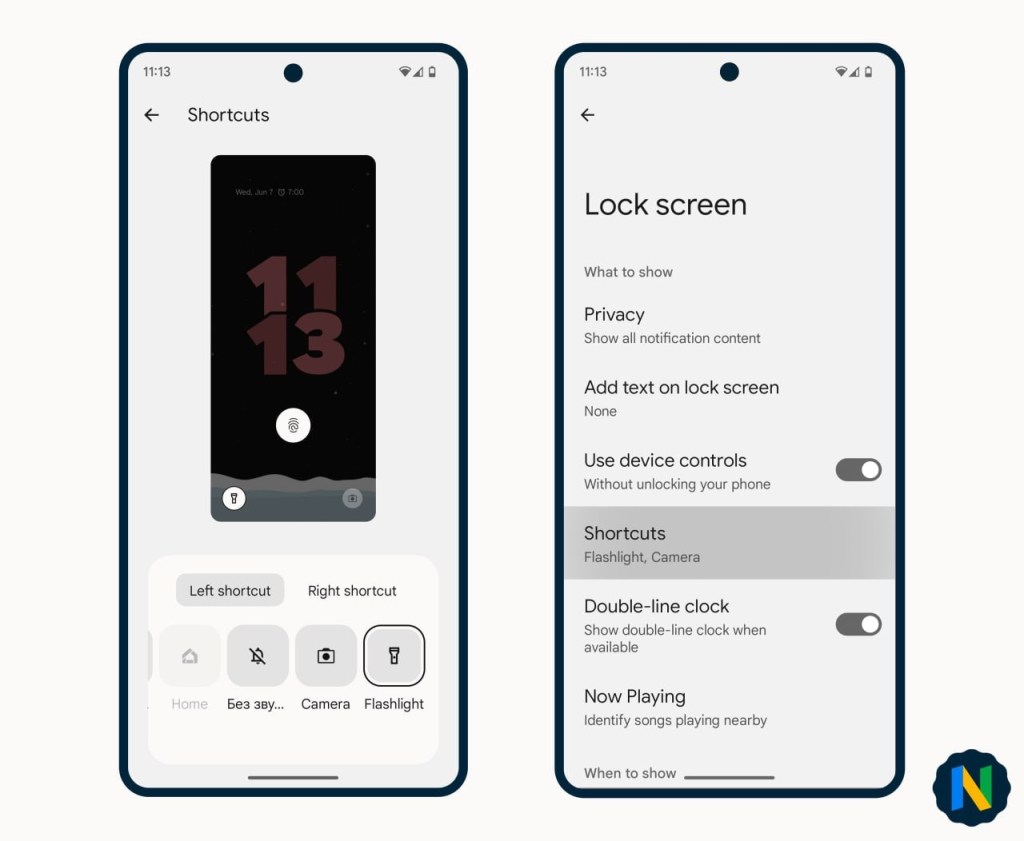
Android 14 Beta 3 brings Google’s promised lock screen customization. It’s all in order:
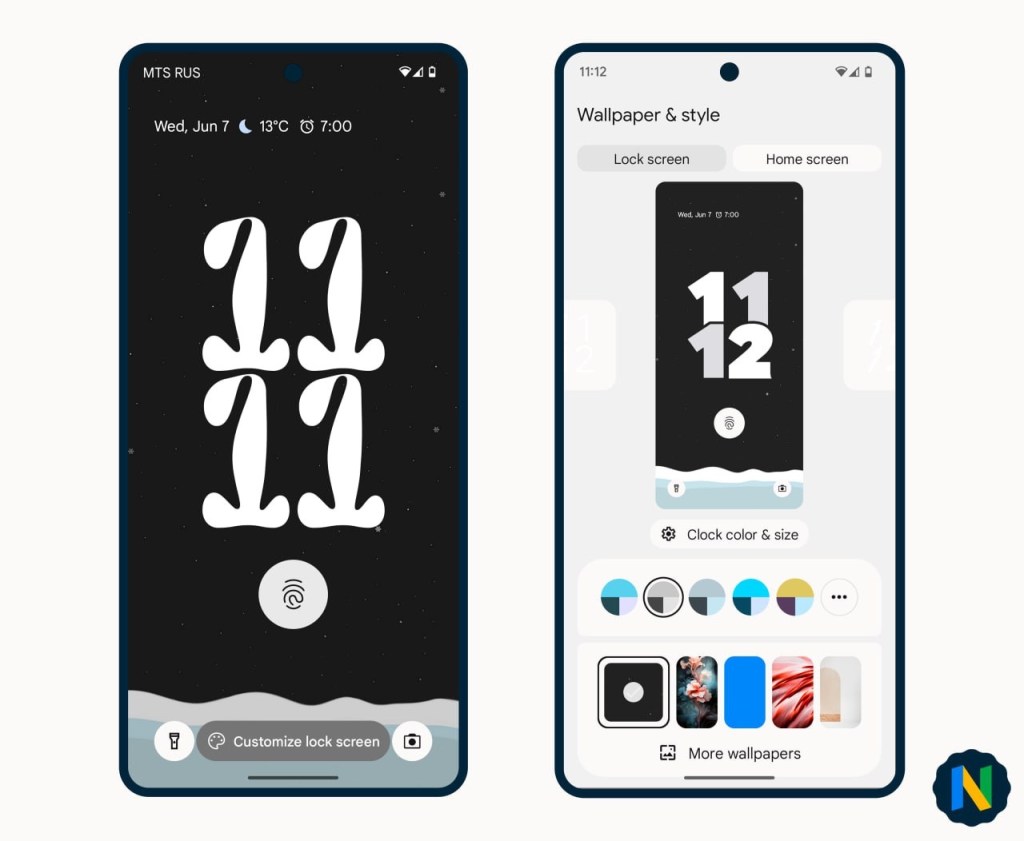
• Holding down on the lock screen will bring up the “Customize lock screen” button at the bottom.
• Wallpaper and style are now divided into Locked Screen and Home Screen settings.
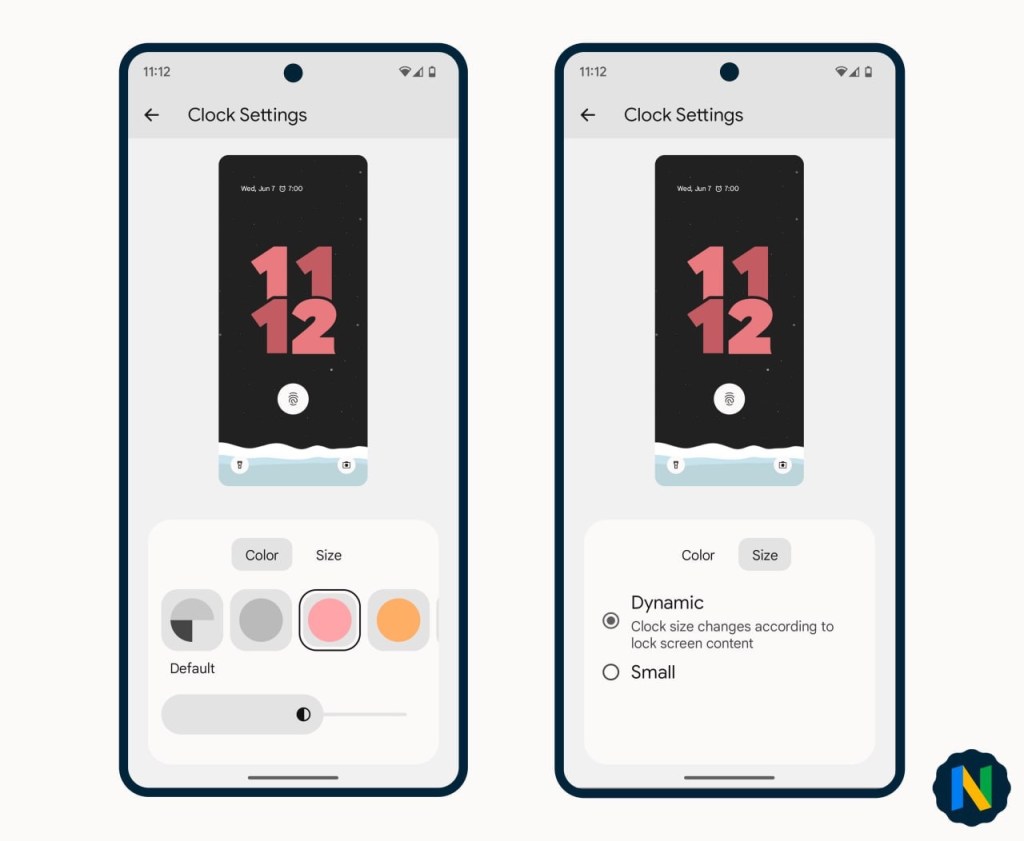
• There are 9 clock options to choose from, each adapted to the AOD. You can also choose their color and brightness, as well as whether they are dynamically sized or small (in a single line on the top left).
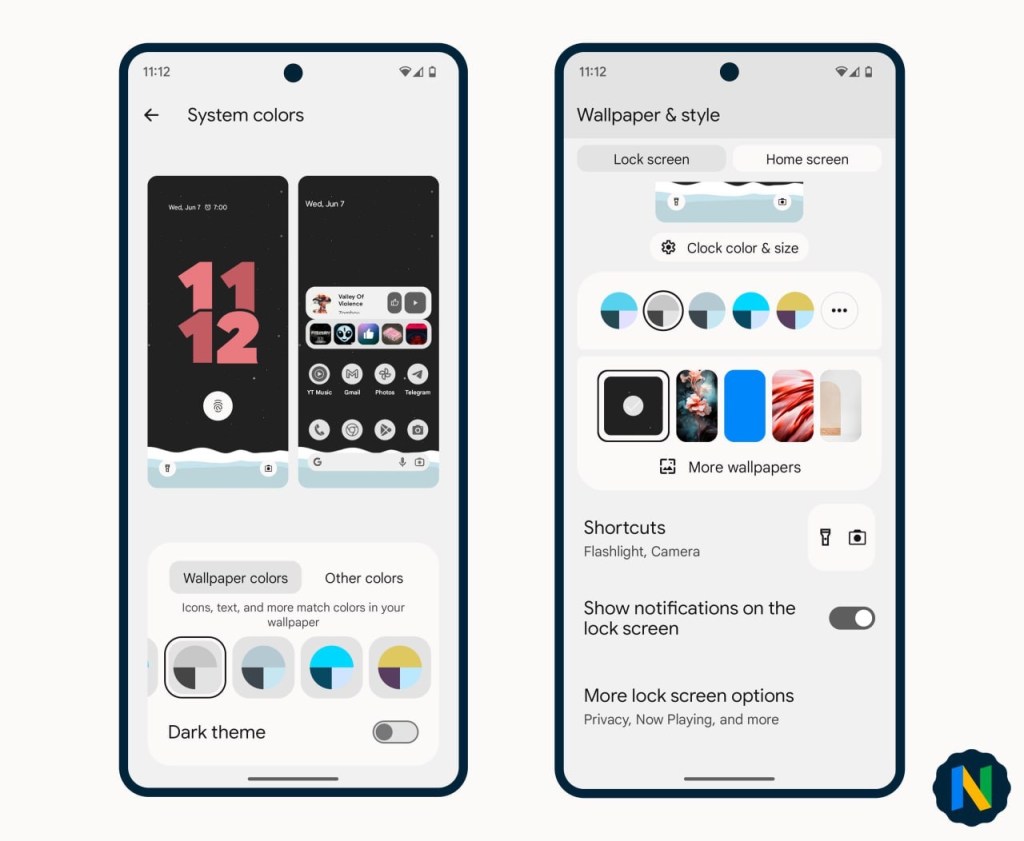
• Available lock screen shortcuts include : None, Do not disturb, QR code scanner, Smart home control, Silent, Camera and Flashlight.
• A selection of lock screen shortcuts options is also available in the locked screen system settings.
Discover more from ChuckysCarnage
Subscribe to get the latest posts sent to your email.

